Keep the recipes you actually cook.
The recipes you make come from all over the place: food blogs, subscription apps, and a bunch of cookbooks. Cook:RE collects them all into one iPhone library. Edit each recipe, change the batch size, and cook with the amounts and timers you need.
COOK YOUR VERSION
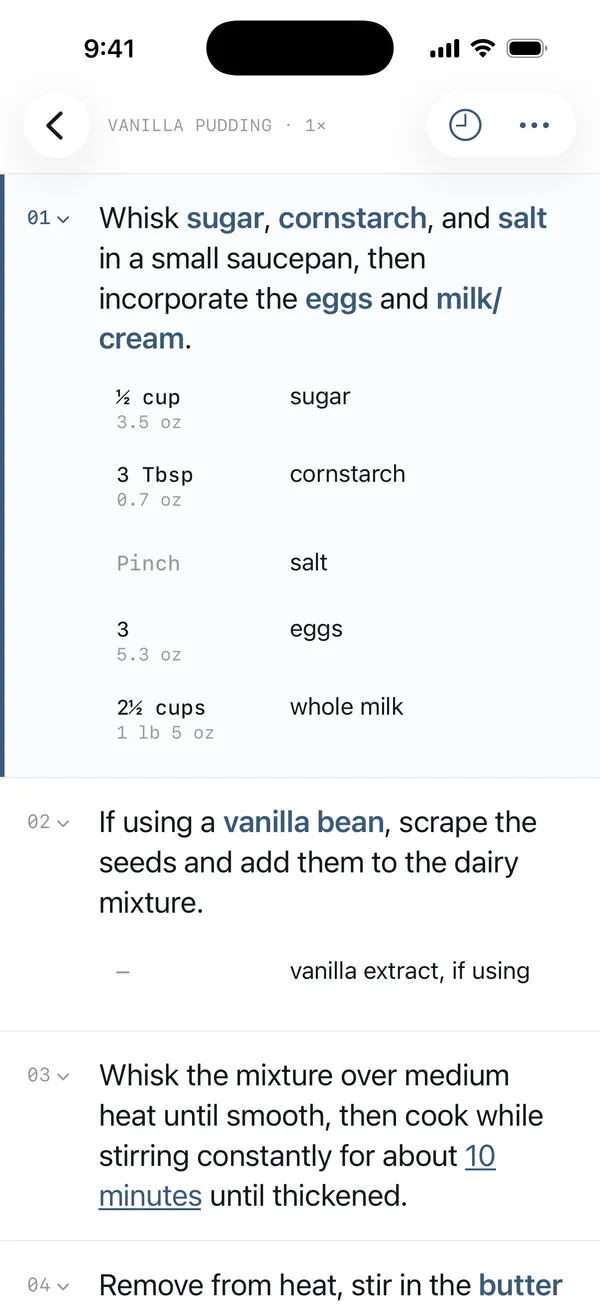
You have access to more recipes than ever before, but they are scattered across different platforms, buried inside ad-covered websites, and hidden behind different subscription logins, each with its own app designed to keep you inside its walled garden. You'd really like a single place to collect all your recipes, customize them to your taste, and cook them efficiently.
Collect
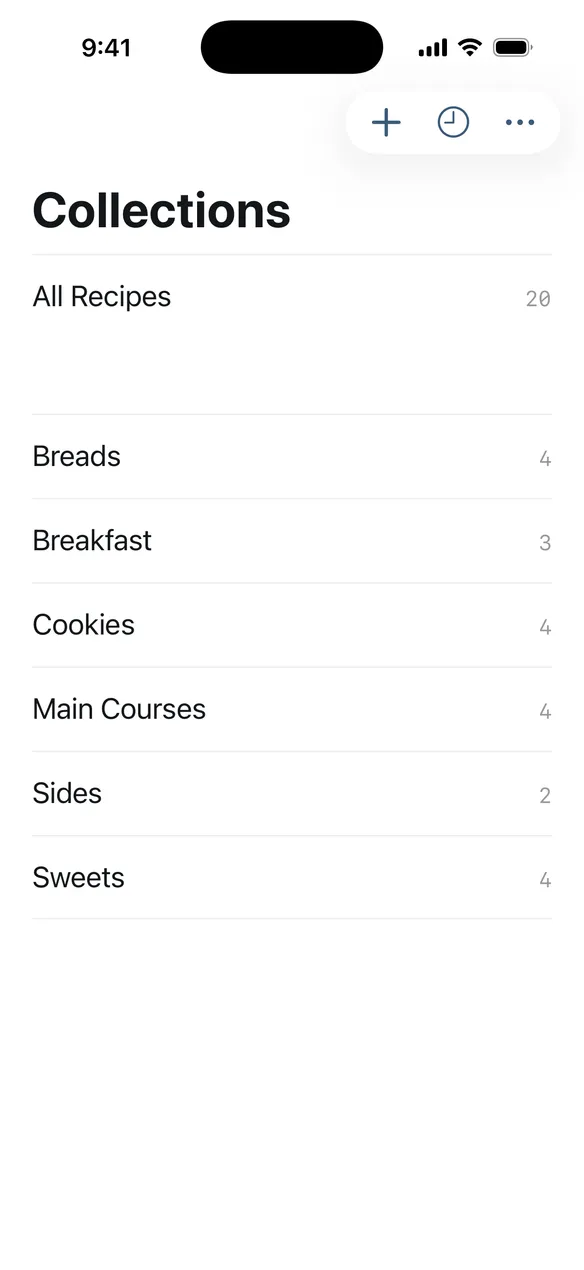
One library for all the recipes you make, wherever they came from — a website, an app, or an old-school cookbook. Share it in, add it to your collections, and find it next time.
Customize
Less salt. Cherries instead of raisins. Skip the topping. Every recipe you save is fully editable, and your changes are saved for next time.
Cook
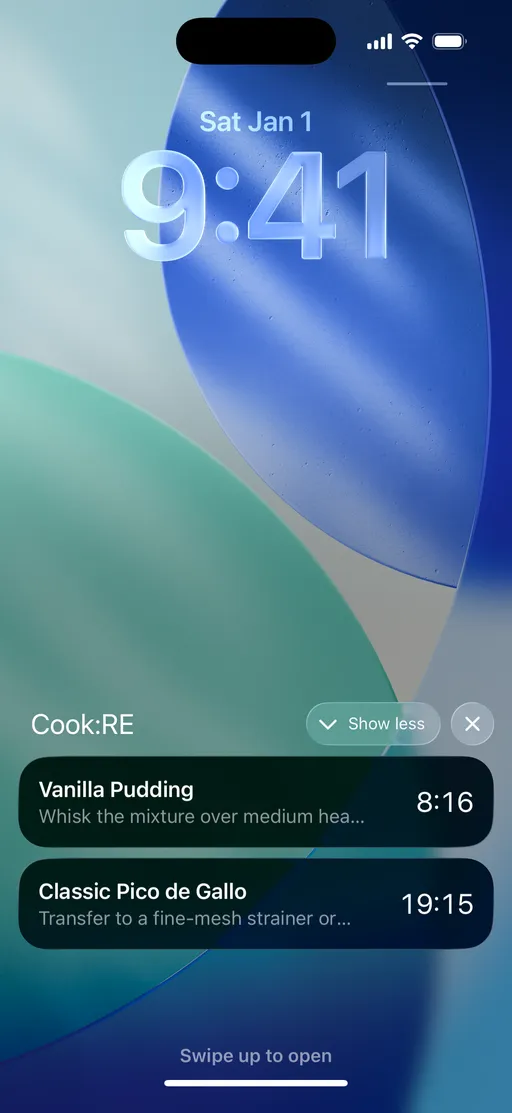
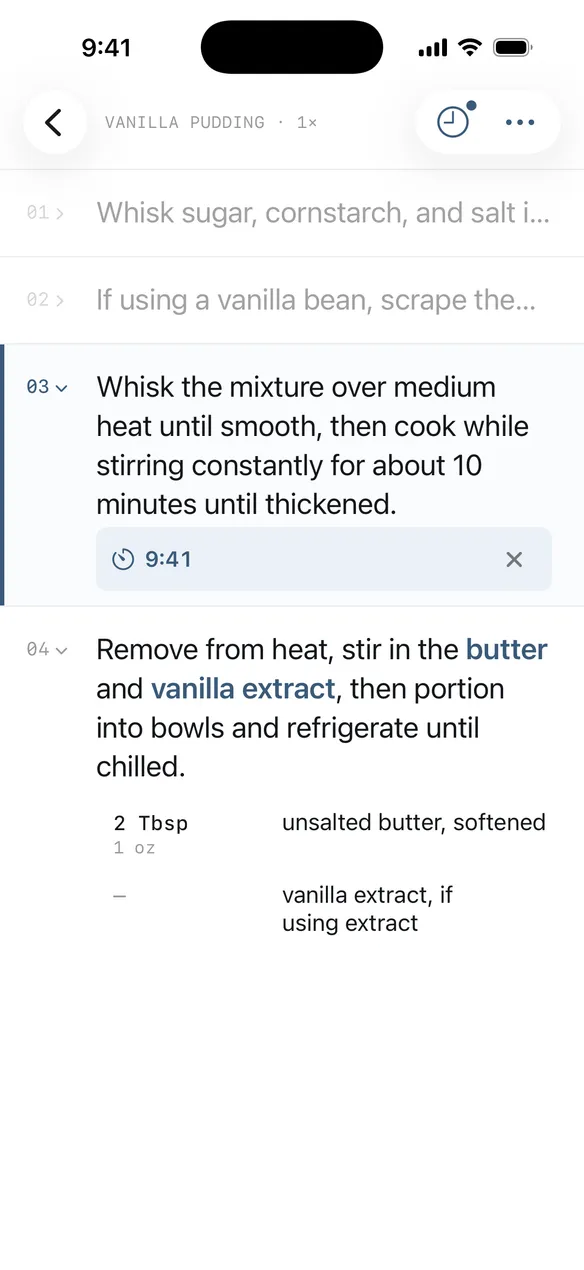
Scale any recipe in the units you measure with. Each step lists the amounts it needs. Tap a time in the instructions and get a timer on your lock screen.
One place for everything.
Share a recipe in from a browser, a subscription app, a screenshot, or a photo of a cookbook page. It arrives laid out properly — yield, times, ingredients, and steps — and joins a library you can organize and search.
- / Share in from any site, app, or book
- / Add to your collections
- / Find it next time, every time
Make it yours.
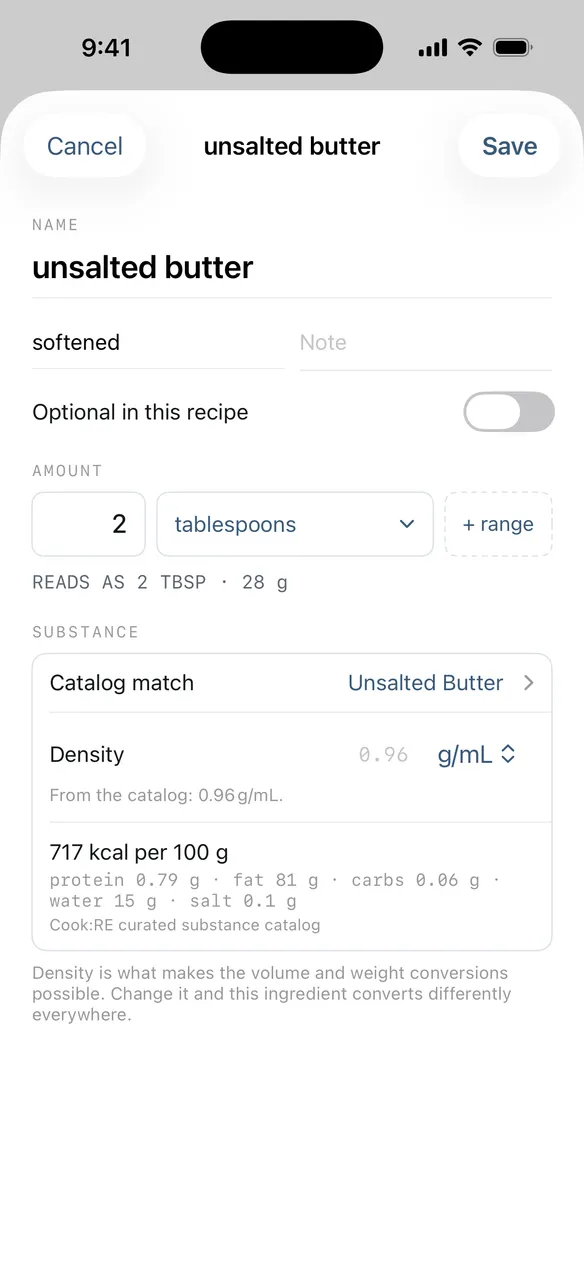
You can write notes in a cookbook, but you can’t change a recipe on a website. In Cook:RE, every recipe you collect is yours to edit: cut the sugar, swap the raisins for dried cherries, mark the topping optional, rewrite a step that never worked. Your version is the one you cook from next time.
- / Edit amounts, ingredients, and wording
- / Swap or mark anything optional
- / Keep your own notes on the recipe
Cook mode keeps you on track.
No scrolling back and forth mid-knead to remember how much salt. Every step carries the amounts it needs, already adjusted to the batch you’re making and shown in the units you measure with. And any time written into the instructions — “rise 2 hours” — becomes a timer on your lock screen with one tap.
- / Amounts right there in each step
- / Tap a time, get a timer
- / Run as many timers as the recipe needs
Double it. Halve it. Weigh it.
Here’s a real recipe from the library above. Change the batch size or the units, and every amount stays something you can measure out, whatever units the original recipe used.
Weights are per ingredient, not a single conversion · adjust any of them to match yours

I made this for myself.
I wanted one place for the recipes I actually cook—and to change them the way you’d write in a cookbook margin. I couldn’t find an app that did both, so I built one.
My wife doesn’t like new apps. I assumed she’d never open this one. She started using it that first week and has been finding my bugs ever since—that’s most of why it’s any good.
Collect your recipes. Cook your version.
One iPhone library for every recipe you cook. Edit them for your kitchen. No account, no feed, and your version stays on your phone.